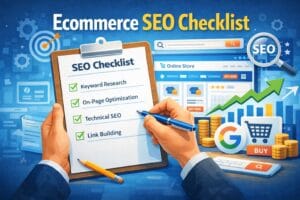
Search engine optimization (SEO) is one of the most effective long-term strategies for driving traffic and sales to an ecommerce store. But for many beginners, understanding what to do and where to start can feel overwhelming. With hundreds of potential pages, product listings, and technical settings, missing the basics can cost you visibility — and revenue.
This guide breaks down the ecommerce SEO process into simple, actionable steps. Whether you’re just launching a store or trying to improve your rankings, following this checklist will give your website a solid foundation for search engines and users alike.
Contact For eCommerce SEO/ Audit or FREE Help.

Hi, I’m Md Tangeer Mehedi — an eCommerce SEO expert.
I help online stores get more sales through Google Search and AI-powered results.
If your products aren’t ranking, you’re losing buyers.
Contact me and tell me about your store—I’ll show you how to fix it.
1. Set Up the Right Tools
Before optimizing anything, you need the right tools in place to track performance, detect issues, and understand what’s working.
Google Search Console
This free tool from Google helps you monitor your site’s presence in search results. It shows what keywords bring users to your pages, indexing status, and alerts for errors like broken links or mobile usability issues.
- Submit your sitemap
- Monitor indexing coverage
- Identify search terms driving clicks
Google Analytics
Analytics helps you understand user behavior, track traffic sources, and measure ecommerce conversions. You can set goals, analyze drop-off points, and see which pages lead to the most sales.
- Track product performance
- Analyze traffic sources (organic, direct, referral)
- Understand bounce rates and session duration
SEO Plugin or App
If you’re using platforms like WordPress or Shopify, install a trusted SEO plugin or app. These help manage on-page SEO elements like meta tags, sitemaps, and breadcrumbs.
- WordPress: Use plugins like Yoast SEO or Rank Math
- Shopify: Use apps like Smart SEO or SEO Manager
2. Keyword Research for Ecommerce
Keyword research is the foundation of ecommerce SEO. You need to understand what your potential customers are searching for and target those terms across your product, category, and blog pages.
Targeting the Right Keywords
Start by thinking like a customer. What would someone type into Google to find your product? These are the search terms you want to rank for.
Break keywords into three main types:
- Product-level keywords (e.g., “wireless noise-canceling headphones”)
- Category-level keywords (e.g., “men’s running shoes”)
- Informational keywords for blogs (e.g., “how to choose a gaming laptop”)
Use Keyword Research Tools
Use these tools to find keyword ideas and check search volume:
- Google Keyword Planner – free with a Google Ads account
- Ubersuggest – beginner-friendly with keyword ideas and difficulty scores
- Ahrefs or SEMrush – advanced tools for deeper research (paid)
Look for keywords that:
- Have good search volume
- Show buyer intent (e.g., “buy,” “best,” “discount,” “cheap”)
- Are not overly competitive
Long-Tail Keywords Matter
Long-tail keywords are more specific and less competitive (e.g., “waterproof hiking boots for women”). They often convert better because they reflect a more targeted search.
3. On-Page SEO for Product & Category Pages
Once you’ve identified your keywords, it’s time to optimize your product and category pages. These are often the highest-converting pages on an ecommerce site, so getting them right is crucial.
Title Tags and Meta Descriptions
Your title tag should include the primary keyword and reflect what the page is about. Keep it under 60 characters.
The meta description should summarize the page in a compelling way and include relevant keywords. Aim for under 155 characters.
Example:
- Title: “Men’s Waterproof Hiking Boots | Brand Name”
- Meta: “Shop durable and waterproof hiking boots for men. Lightweight, long-lasting comfort. Free shipping available.”
Use Proper Header Tags (H1, , etc.)
Each page should have one H1 tag, usually the product or category name. Use and H3 tags to structure content like features, specifications, and FAQs.
SEO-Friendly Product Descriptions
Avoid using manufacturer descriptions. Write unique, keyword-rich content that highlights benefits, features, and use cases. Include keywords naturally, without stuffing.
Image Optimization
- Use descriptive filenames (e.g.,
black-running-shoes.jpg) - Add alt text with relevant keywords
- Compress images to reduce page load time
Clean and Descriptive URLs
Your URLs should be short, readable, and include the primary keyword.
Bad: site.com/product123?id=45
Good: site.com/mens-waterproof-hiking-boots
4. Technical SEO Basics
Technical SEO ensures that your ecommerce site is easy for search engines to crawl, index, and display in search results.
Mobile-Friendliness
Your site must be fully responsive and easy to use on all devices.
Tool: Google’s Mobile-Friendly Test
Fast Loading Speed
Compress images, enable caching, and minimize scripts.
Tools: Google PageSpeed Insights, GTmetrix
HTTPS and Site Security
Install an SSL certificate. HTTPS is a ranking factor and builds trust.
Fix Crawl Errors and Broken Links
Use Search Console to fix 404 errors and ensure proper redirects.
Create an XML Sitemap
Helps search engines discover all important pages. Submit it in Search Console.
Check and Optimize robots.txt
Ensure it doesn’t block important pages like products or collections.
5. Structured Data & Schema Markup
Structured data helps search engines understand and display your content better.
Types to Use
- Product schema – Price, name, availability
- Review schema – Star ratings
- Breadcrumb schema – Site structure
Implementation
Use JSON-LD or SEO plugins. Test with Google’s Rich Results Test.
6. Internal Linking Strategy
Smart internal linking boosts SEO by connecting important pages.
Best Practices
- Link between related products and categories
- Use keyword-rich anchor text
- Add links from blogs to product pages
- Use breadcrumb navigation for better structure
7. Content Strategy for Ecommerce SEO
Content brings in top-of-funnel traffic and supports long-term SEO growth.
What to Create
- Product buying guides
- Comparison articles
- How-to posts related to your products
Optimize Posts
Use target keywords, headers, internal links, and mobile-friendly formatting. Refresh content regularly to keep it relevant.
8. Backlink Building for Ecommerce
Backlinks are key to ranking higher.
How to Build Them
- Reach out to bloggers for reviews
- Write guest posts on niche sites
- Use HARO to earn media mentions
- Create link-worthy content (e.g., guides, infographics)
Track Your Links
Use Ahrefs, SEMrush, or Ubersuggest to monitor backlinks and remove harmful ones.
9. Monitor, Audit, and Improve
SEO requires ongoing attention.
Monitor with Search Console
Track keywords, impressions, and click-through rates.
Audit Your Site Regularly
Fix broken links, slow pages, and duplicate content.
Update Pages and Posts
Improve outdated product descriptions, blog content, and internal links.
Check Competitors
Watch what’s working for them and adapt your strategy.
Conclusion
Understanding and implementing ecommerce SEO can feel overwhelming, but following a clear checklist like this makes the process manageable. From keyword research and on-page optimization to technical fixes and backlink building, each step plays a role in helping your store rank, attract traffic, and convert visitors into customers.
By treating SEO as an ongoing effort and using the right tools and strategies, your ecommerce site can gain long-term visibility and steady growth — without paying for every click.