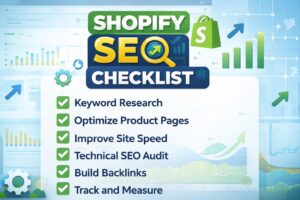
Getting your Shopify store to rank on Google isn’t just about launching products and hoping for the best. Without a solid SEO foundation, your store can easily get buried in search results — even with great products and design. That’s why having a clear, structured SEO checklist is essential.
This guide covers every key area of Shopify SEO — from technical setup to product and blog optimization — so you can improve your visibility, drive more organic traffic, and increase conversions. Whether you’re new to SEO or fine-tuning an existing store, this checklist will keep you on track.
Technical SEO Checklist for Shopify
✅ Custom Domain Setup & SSL
Use a custom domain instead of the default .myshopify.com and make sure SSL (https) is active to build trust and improve rankings.
✅ URL Structure & Redirects
Keep URLs clean and keyword-friendly. Avoid special characters and unnecessary words. Set up proper 301 redirects if you move or remove pages.
✅ Remove Duplicate Content
Shopify can create duplicate versions of collection and product pages (e.g., with tags or filters). Use canonical tags to avoid content duplication issues.
✅ Crawlability & Indexability
Ensure important pages are not blocked by robots.txt or marked with noindex. Use tools like Google Search Console to monitor indexing.
✅ Sitemap & Robots.txt
Shopify auto-generates a sitemap.xml and robots.txt file. Submit your sitemap in Google Search Console and make sure it’s correctly structured.
✅ Site Speed Optimization
Compress images, limit third-party apps, and use fast-loading themes to improve performance. Shopify’s native CDN helps, but extra tuning may be needed.
✅ Mobile-Friendliness
Most traffic is mobile — use Shopify’s responsive themes and test on different devices. Google’s Mobile-Friendly Test can help spot issues.
✅ Schema Markup Basics
Add structured data for products, reviews, and availability. Shopify themes or SEO apps like JSON-LD for SEO can help with this.
On-Page SEO Checklist
✅ Title Tags & Meta Descriptions
Every page, product, and collection should have a unique, keyword-targeted title tag and a compelling meta description to improve click-through rates.
✅ Headings (H1, Usage)
Use a single H1 tag per page. Organize the rest of the content using and H3 tags to support both SEO and user readability.
✅ Keyword Placement in Content
Include your primary keyword in the first 100 words, headings, and throughout the content naturally. Avoid keyword stuffing.
✅ Image Alt Text & Filenames
Name images with descriptive keywords and add alt text for accessibility and image SEO.
✅ Clean, Readable URLs
Use short, hyphenated URLs with relevant keywords (e.g., /running-shoes-men) instead of auto-generated links.
✅ Internal Linking
Link to related products, collections, and blog posts to improve navigation and crawlability.
Product Page SEO Checklist
✅ Unique Product Titles & Descriptions
Write original, keyword-targeted titles and product descriptions to improve both search visibility and conversions.
✅ Keyword Usage in Product Copy
Include keywords in headings, descriptions, and alt tags while keeping the language natural.
✅ Optimized Images & Alt Text
Compress images for speed and use meaningful filenames and alt text to support SEO.
✅ Structured Product Data (Schema)
Use JSON-LD or Shopify SEO apps to add rich product schema for better display in Google search.
✅ Avoid Duplicate Content Across Variants
Group variants on one product page and use canonical URLs to prevent duplicate content issues.
Collection Page & Blog SEO Checklist
✅ Optimized Collection Titles & Descriptions
Add unique, keyword-rich content to each collection to help with search visibility and user clarity.
✅ Use of Filters & Tags
Be cautious with filters/tags that generate extra URLs. Use canonical tags to prevent duplicate indexing.
✅ Blog Content Optimized for Target Keywords
Each post should target specific keywords and offer useful content related to your products or niche.
✅ Proper Internal Linking Between Blogs and Products
Use blog posts to link back to products or collections, supporting both user flow and search authority.
Tools to Help You Stay on Track
✅ Google Search Console
Monitor indexing, performance, and fix crawl issues.
✅ Google Analytics
Track user behavior and measure SEO impact.
✅ Ahrefs / SEMrush
Analyze keywords, backlinks, and competitors.
✅ Screaming Frog
Audit your Shopify store for technical SEO issues.
✅ Shopify SEO Apps
- Plug in SEO
- Smart SEO
- JSON-LD for SEO
These tools help maintain your SEO health and spot issues early.
Final Checks Before Publishing or Updating
✅ Test on Mobile
Ensure the page looks and works correctly across devices.
✅ Check Page Speed
Use PageSpeed Insights to catch and fix slow-loading elements.
✅ Preview SERP Snippet
Make sure title and meta descriptions are complete and attractive in search results.
✅ Submit to Google Search Console
Request indexing for new or updated pages for quicker visibility.
Conclusion
Optimizing your Shopify store for SEO isn’t a one-time task — it’s an ongoing process that pays off with better rankings, more traffic, and higher sales. This checklist gives you a complete roadmap to follow, whether you’re launching a new store or improving an existing one.
By addressing technical setup, on-page content, product details, and blog strategy, you’ll stay ahead of competitors and build a stronger foundation for long-term growth. Bookmark this checklist and use it regularly to keep your store search-friendly and performing at its best.